

VitalsPro for clinics
Clinic management software for single-doctor and multi-doctor clinics
Book appointments, keep patient records and prescriptions, and bill at the front desk from one browser tab. No server, no IT person, and you can start the day you sign up.
- 5 users
- on HMS Lite
- Up to 3
- branches on HMS Pro
- Same day
- self-onboarding
- Free
- assisted setup & data migration
The problem
The OPD queue runs on paper slips and memory
In most clinics the front desk juggles a register, a phone and a stack of old files. Clinic management software should make the queue visible and the history instant.
Patients waiting, nobody knows why
Without a live queue, the front desk cannot tell who is next or how long each doctor is running behind.
“Please bring your old file”
Returning patients carry their history in a plastic folder, and half the time it is at home.
Collections counted at closing
Fees are tallied by hand at the end of the day, and mismatches are hard to trace.
A day with VitalsPro
A clinic day, from first booking to closing count
Single-doctor or multi-doctor, every visit follows the same simple path on one record.
- 01
9:00 am
Bookings
Appointments are booked against each doctor’s availability, so nobody is booked with a doctor on leave.
- 02
Morning OPD
A visible queue
The front desk sees today’s appointments by status and calls the next patient without paper slips.
- 03
In the consult
History in seconds
The doctor opens past visits, vitals and prescriptions, then writes today’s prescription on the same record.
- 04
At the desk
Bill before they leave
Consultation fees, procedures and anything dispensed go onto one bill at the counter.
- 05
Closing time
The day in three numbers
Patients seen, money collected and average wait are on the dashboard, ready to read.
01 · Appointments and OPD queue
Clinic management software built around the OPD queue
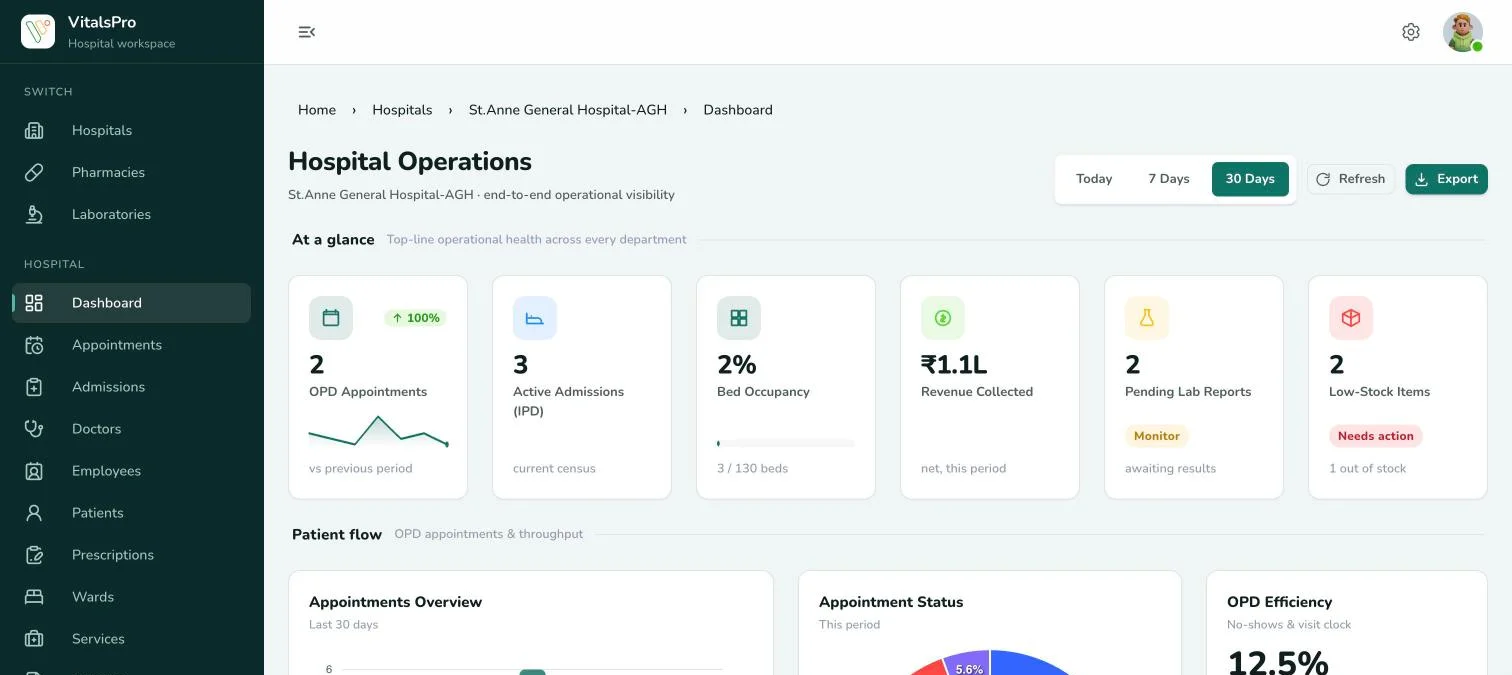
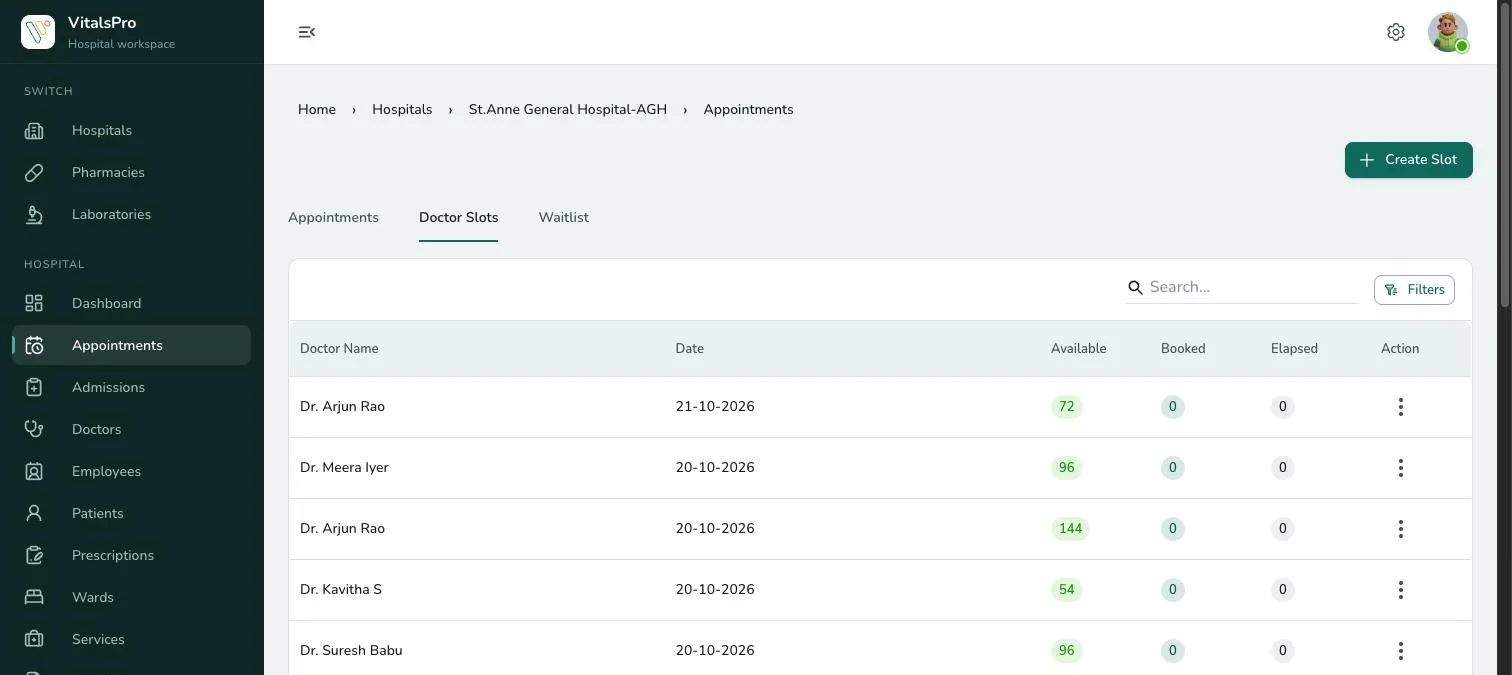
Schedule appointments by doctor availability and keep a live patient queue. Track no-shows and the average wait against consult time, so long waits show up in the numbers.
- Appointment scheduling by doctor availability
- Live patient queue for the front desk
- No-show rate and wait versus consult time
02 · Patient records and prescriptions
Patient records and prescriptions on one screen
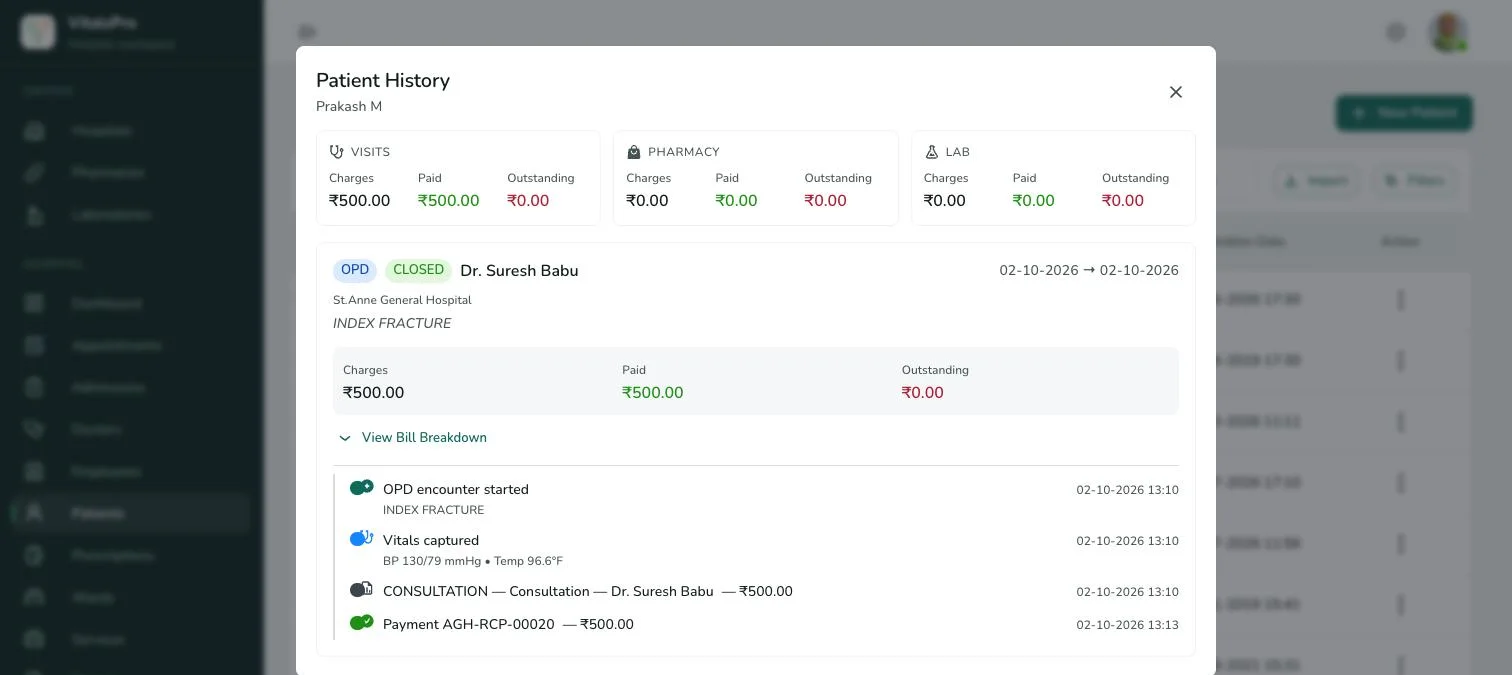
Each patient has one record with visits, vitals, notes and prescriptions. Doctors see what their role allows, and every view and change is logged.
- Outpatient records with detailed reports
- Prescriptions saved against every visit
- Separate logins for reception and each doctor
- Audit log of who viewed or changed what
03 · Prescriptions
Prescriptions that reach the pharmacy and the lab
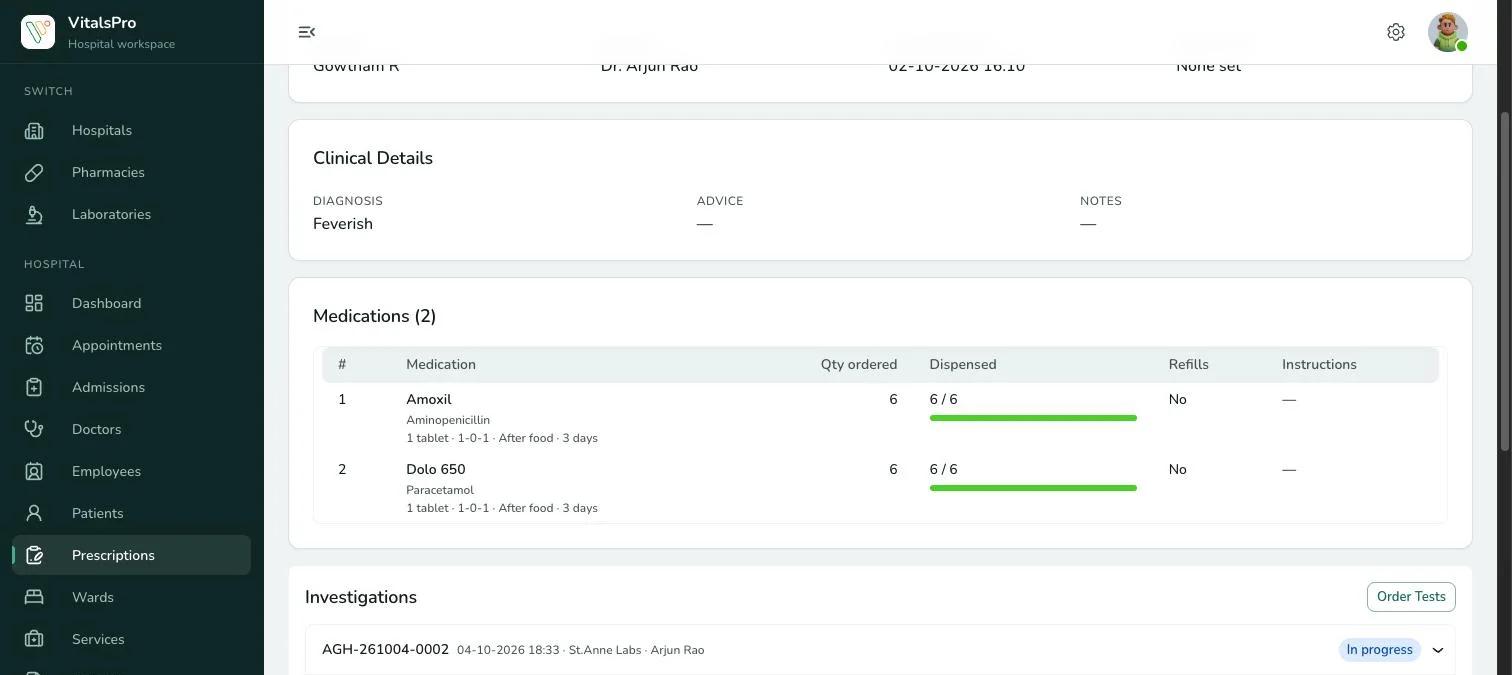
Write medicines with dose, timing and duration, and order tests from the same screen. The pharmacy sees what to dispense, and the lab order lands on the lab worklist.
- Dose, timing and duration on every line
- Dispensed quantity tracked per medicine
- Lab tests ordered from the prescription
- Repeat or print a prescription
04 · Billing and reports
Front-desk billing and a dashboard you will actually read
Bill consultations, procedures and dispensed items at the counter. The dashboard shows appointments, collections and trends for today, 7 days or 30 days.
- One bill per visit, raised at the counter
- Daily, weekly and monthly collections
- Pharmacy and lab modules included in HMS plans
- SMS and email patient notifications on HMS Pro
What changes
What a clinic gets on day one
A calmer waiting room
The front desk can see the queue and tell patients honestly how long they will wait.
History without the folder
Returning patients’ visits and prescriptions are on screen before they sit down.
Collections that reconcile
Every fee is billed at the counter and recorded against the user who billed it.
Room to grow
The same system scales from one doctor to a multi-branch practice on HMS Pro.
Trust & security
Patient and business data, protected
The same controls on every plan.
Role-based access
Reception, doctors, pharmacists and admins each see exactly what their role allows.
Audit logs
Every view and change is recorded — who, what and when.
Cloud backup
Automated encrypted backups with point-in-time recovery.
Strong authentication
Central sign-on with OAuth 2.0 / OpenID Connect.
Encryption
TLS in transit and encryption at rest for patient records.
Pricing
Clinic management software pricing
Clinics usually start on the HMS Lite plan, which covers a single clinic with up to five users. Growing practices and clinics with more than one branch move to HMS Pro. Compare both on the [pricing page](/products/vitalspro/pricing).
Lite
Ideal for clinics and small hospitals
₹27,000/ yearor ₹2,500 billed monthly
- Single hospital or clinic
- Patient & doctor management
- Appointment scheduling
- Dashboard & basic analytics
- Pharmacy & laboratory modules
- Basic billing & reports
- Role-based access
- Up to 5 users
Pro
Best suited for growing hospitals
₹48,600/ yearor ₹4,500 billed monthly
- Up to 3 branches
- Staff, ward & department management
- Blood bank & oxygen tracking
- Ambulance management
- SMS & Email notifications
- Advanced billing & MIS reports
- Feedback & complaint management
- Up to 15 users
Ultimate
Designed for hospital chains and enterprises
Custom
- Unlimited branches
- Unlimited users
- Dedicated infrastructure
- Custom workflows & integrations
- Advanced security controls
- Priority onboarding & support
- SLA-backed uptime
Getting started
Live the same day — with help if you want it
Self-onboard in minutes, or let our team set you up, migrate your records and train your staff at no cost.
Growing into a nursing home, or running a dispensary or in-house lab? See hospital management software, pharmacy management software and lab management software, or compare plans on the pricing page. Long queues at the front desk? Read how to cut OPD waiting time.
- Step 1Sign upPick a plan and create your workspace — access is instant.
- Step 2Set upAdd your hospital, wards, doctors and services with guided forms.
- Step 3Go liveRegister your first patients and start billing right away.
- OptionalAssisted onboarding — freePrefer a hand? We configure your setup, migrate your records and train your staff at no cost.
- OngoingSupportDedicated success manager, WhatsApp and phone support.
FAQ
Clinic management software: common questions
See VitalsPro on your own workflows
Book a guided walkthrough, or sign up and start right away — free assisted onboarding whenever you want it.